
Is Your Computer Part of a Botnet? Signs of a Compromised PC
Your PC has started crawling. The fan kicks in the moment you open a browser, programs take an age to respond, and the whole machine feels like it’s working on something you didn’t ask it to do. You might put it down to age or a full hard drive — but there’s another possibility worth ruling out. Your computer could have been quietly recruited into a botnet, working for criminals without your knowledge. In this guide, we’ll walk you through what a botnet actually is, the warning signs to look for, how to clean an infection, and how to report it to the authorities here in the UK.
What Exactly Is a Botnet and Why Should UK Households Care?
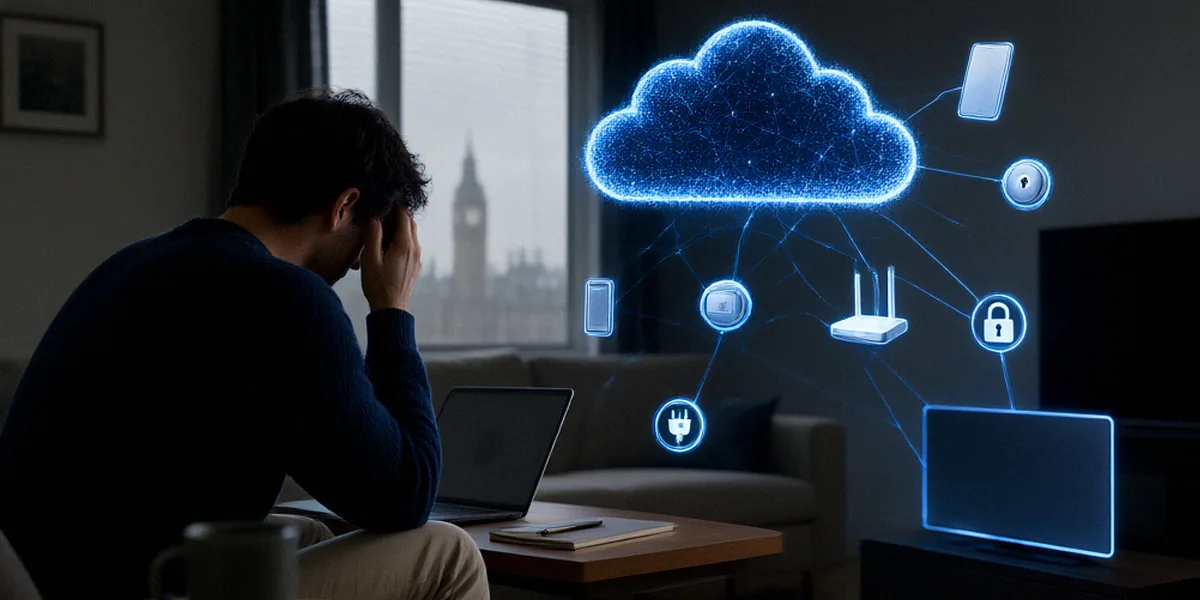
A botnet is a network of compromised devices — PCs, laptops, phones, routers, even smart TVs — that cybercriminals control remotely. Each infected device is called a “bot,” and together they form a network that can be rented out or directed at whatever target the attacker chooses. Botnets are typically used for distributed denial-of-service (DDoS) attacks, mass spam campaigns, credential stuffing against online accounts, and spreading further malware.
UK households are prime targets. Always-on broadband and a growing number of smart devices mean our homes are packed with always-connected hardware that rarely gets updated. A single unpatched router or ageing Windows laptop can be enough to bring an entire household into a criminal network without anyone noticing.
How Botnets Recruit Your PC
Recruitment usually happens through everyday activity: opening a malicious email attachment, clicking a poisoned link in a text message, downloading cracked software, or visiting a compromised website. Some botnets, like the notorious Emotet, have targeted UK households and businesses specifically through convincing phishing emails that look like invoices or parcel delivery notices.
The Real-World Impact on UK Users
When your PC joins a botnet, you’re not just a passive victim. Your internet connection is used to attack others, your bandwidth is consumed, and your personal data may be harvested for identity theft. If your IP address is linked to criminal traffic, you could face awkward conversations with your ISP — or worse, find your accounts locked after credential-stuffing attacks.
Warning Signs Your Computer Might Be Part of a Botnet
Botnets are designed to hide, but they leave traces. Here’s what we tell people to look out for.
Performance Red Flags You Shouldn’t Ignore
- Unexplained slowdowns, especially when you’re not running anything demanding
- Fans running loudly even at idle
- Frequent crashes, freezes, or blue screens
- The machine becomes unusably slow during the night or when you’re away
- Antivirus software disabling itself or refusing to update
Open Task Manager (Ctrl + Shift + Esc) and check the CPU, Memory, and Network columns. If you see unfamiliar processes consuming significant resources, note the name and search it. Resource Monitor (type “resmon” into the Start menu) gives you a deeper look at which processes are talking to the network — a sudden spike of outbound traffic when you’re not doing anything online is a classic botnet tell.
Network and Browser Oddities
Watch for your browser homepage changing on its own, new toolbars you didn’t install, or search results redirecting to unfamiliar sites. On the network side, your router logs may show connections to strange IP addresses, or your broadband may slow to a crawl in the evenings. Friends and colleagues might mention receiving spam from your email address. If any of this sounds familiar, treat it as a signal to investigate.
How to Confirm and Remove a Botnet Infection
If the signs above ring true, don’t panic — most botnet infections can be removed with the right tools and a methodical approach. Some, like Emotet, are notoriously persistent and may require more than one pass.
Step-by-Step Scanning and Cleanup
- Disconnect from the internet to stop the bot communicating with its controller.
- Run a full scan with Windows Defender, which is built into Windows and free to use.
- Follow up with a second-opinion scanner such as Malwarebytes, which catches many threats Defender misses.
- Check startup programs via Task Manager’s Startup tab and disable anything you don’t recognise.
- Review installed programs and uninstall anything unfamiliar.
- Reset your router to factory settings, then change the admin password and update the firmware.
- Change passwords for email, banking, and any other important accounts — using a different device if possible.
- Reconnect and monitor Task Manager and Resource Monitor for a few days to confirm the problem has gone.
When to Seek Professional Help
If scans keep finding the same threat, if your machine won’t boot properly, or if you handle sensitive work data on the device, it’s worth bringing in a professional. A reputable local IT technician can perform offline scans and, in severe cases, recommend a full operating system reinstall — often the cleanest solution for stubborn infections.
Protecting Your Devices from Future Botnet Recruitment
Prevention is far less stressful than cleanup. The National Cyber Security Centre (NCSC) provides free guidance on securing home networks, and we strongly recommend working through their advice as a baseline.
Essential Security Habits for UK Homes
- Install operating system and software updates as soon as they’re available
- Use strong, unique passwords for every account — a password manager makes this manageable
- Turn on two-factor authentication wherever it’s offered
- Keep your router firmware up to date and change the default admin credentials
- Never open attachments or click links in unexpected emails or texts
- Only download software from official sources
Securing Smart Devices and IoT
Smart speakers, doorbells, baby monitors, and even connected thermostats can be recruited into botnets. Change default passwords on every device, keep firmware updated, and consider putting smart devices on a separate Wi-Fi network from your main computers. If a device is no longer supported by its manufacturer, it’s safer to replace it than to keep it online.
Reporting a Botnet Infection: Action Fraud and Beyond
Action Fraud is the UK’s national reporting centre for fraud and cybercrime. Reporting an infection isn’t just a formality — it helps authorities track trends, supports takedown operations against criminal infrastructure, and may contribute to wider investigations that protect other households.
What Action Fraud Needs from You
Before you report, gather the following:
- Dates and times you noticed suspicious activity
- Names of any malware or suspicious processes you identified
- Screenshots of Task Manager, Resource Monitor, or antivirus alerts
- Any phishing emails or messages that may have led to the infection
- Your router make and model, and whether you’ve reset it
You can report online via the Action Fraud website or by calling 0300 123 2040. If you’re in Scotland, reports go to Police Scotland on 101.
Other UK Resources for Cybercrime Victims
Beyond Action Fraud, the NCSC website offers practical guidance and, in serious cases, a route to report significant incidents. Citizens Advice can help if you’ve suffered financial loss, and your bank’s fraud team should be contacted immediately if money has been taken. For identity theft concerns, Cifas offers a protective registration service.
FAQ
How do I know if my computer is part of a botnet?
Look for unexplained slowdowns, loud fans at idle, antivirus disabling itself, and unusual network activity in Resource Monitor. A full scan with Windows Defender or Malwarebytes will often confirm an infection.
Can a botnet infection be removed without reinstalling Windows?
Yes, in most cases. A thorough scan with reputable tools, combined with a router reset and password changes, usually clears the infection. Persistent threats like Emotet may need multiple scans or, in severe cases, a full reinstall.
Should I report a botnet infection to Action Fraud?
Yes. Action Fraud is the UK’s national reporting centre for fraud and cybercrime, and reporting helps track criminal trends and supports takedown efforts. It only takes a few minutes online.
Can my router be part of a botnet?
Absolutely. Routers are common botnet targets because they’re always on and often left with default passwords. Reset yours to factory settings, update the firmware, and set a strong admin password.
Are smart devices really at risk of botnet recruitment?
Yes. Always-on broadband and smart devices make UK homes prime targets. Change default passwords, keep firmware updated, and isolate smart devices on a separate network where possible.
Early detection and prompt reporting are the two things that minimise the damage a botnet can do — to your devices, your data, and your household’s reputation online. Stay informed, keep your software patched, and treat every unexpected email or download with suspicion. That combination is your best defence against being quietly recruited into someone else’s criminal network.